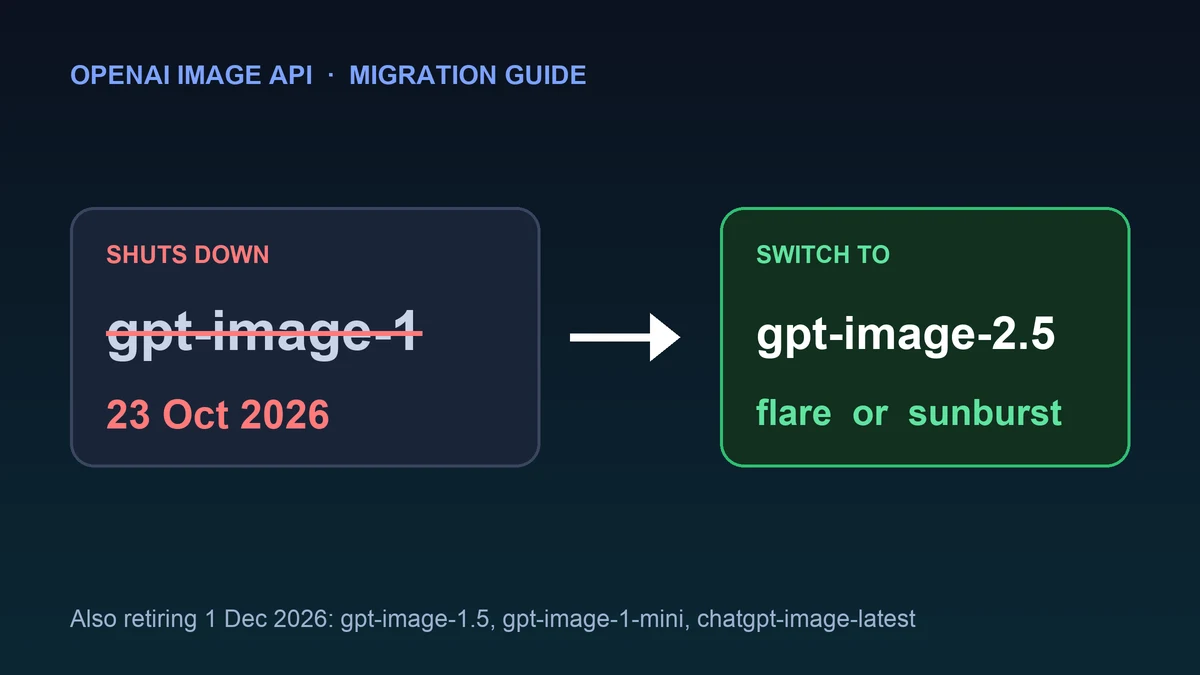
If your app calls gpt-image-1, the clock is short. OpenAI lists that model for removal from the API on 23 October 2026. After that date, requests that name it should be expected to fail.
The good news is that the fix is small for most apps. This guide gives you every date, the two replacement models, a before-and-after code change, what the price change really means, and a checklist so nothing breaks on the day.
Every date you need#
These dates come from OpenAI's deprecations page, which we checked on 18 October 2026.
| Model | Announced | Removed from the API | OpenAI's recommended replacement |
|---|---|---|---|
gpt-image-1 | 22 Apr 2026 | 23 Oct 2026 | gpt-image-2.5-sunburst or gpt-image-2.5-flare |
gpt-image-1.5 | 2 Jun 2026 | 1 Dec 2026 | gpt-image-2.5-sunburst or gpt-image-2.5-flare |
gpt-image-1-mini | 2 Jun 2026 | 1 Dec 2026 | gpt-image-2.5-sunburst or gpt-image-2.5-flare |
chatgpt-image-latest | 2 Jun 2026 | 1 Dec 2026 | gpt-image-2.5-sunburst or gpt-image-2.5-flare |
dall-e-2 and dall-e-3 | 14 Nov 2025 | 12 May 2026 (already gone) | gpt-image-2, gpt-image-1 or gpt-image-1-mini |
Notice the last row. The models that DALL-E users were sent to last spring are now themselves on the removal list. That is a good reason to keep the model name in one setting instead of scattering it through your code. (We wrote more about this in Outdated API Tutorials: How to Spot One Before It Costs You.)
Flare or sunburst: which should you pick?#
OpenAI lists both models as replacements and describes them like this:
gpt-image-2.5-flareis "fastest model for high-quality, everyday image generation." Pick it for product images, blog art, thumbnails and anything you generate in volume.gpt-image-2.5-sunburstis "our most capable model for image generation and editing," meant for workflows where editing precision matters most. Pick it when you edit existing images, or when quality matters more than speed.
Both share the same token prices, the same quality settings and the same rate limits, so switching between them later is a one-word change. If you are unsure, start with flare for generation and test sunburst on your edit flows.
Step 1: Find every place you use the old model#
Search your whole project, including config files, scheduled jobs and environment variables. This one command also catches gpt-image-1.5 and gpt-image-1-mini, which is what you want:
git grep -n "gpt-image-1"Also check places a search can miss: a .env file, a no-code automation, a database row that stores the model name, a dashboard setting or another team's script that calls your service.
Step 2: Change the model name#
Here is the change for the Image API. The calls below follow the example in OpenAI's image generation guide. We have not run them against a live account, so test them with your own key before you ship.
Python
from openai import OpenAI
import base64

client = OpenAI()

result = client.images.generate(
    model="gpt-image-2.5-flare",  # was "gpt-image-1"
    prompt="A lighthouse at dusk, watercolor style",
)

with open("lighthouse.png", "wb") as f:
    f.write(base64.b64decode(result.data[0].b64_json))
JavaScript
import OpenAI from "openai";
import fs from "fs";

const client = new OpenAI();

const result = await client.images.generate({
  model: "gpt-image-2.5-flare", // was "gpt-image-1"
  prompt: "A lighthouse at dusk, watercolor style",
});

fs.writeFileSync("lighthouse.png", Buffer.from(result.data[0].b64_json, "base64"));
The edit endpoint (v1/images/edits) and the Batch API are supported by both 2.5 models too, so the same model swap applies there.
Better still, read the model from one setting so the next migration is a config change:
import os

IMAGE_MODEL = os.environ.get("IMAGE_MODEL", "gpt-image-2.5-flare")
Step 3: Check what else changed#
A model swap is easy. These details are where real apps trip up:
| Area | gpt-image-1 | gpt-image-2.5 models |
|---|---|---|
| Quality values | low, medium, high | low, medium, high, xhigh, max, auto (default auto) |
| Sizes | 1024x1024, 1024x1536, 1536x1024 | The same three, plus custom WIDTHxHEIGHT |
| Custom size rules | Not available | Multiples of 16, ratio between 1:3 and 3:1, no edge over 3840 px, 655,360 to 8,294,400 total pixels. Above 2560x1440 is experimental |
| Transparent background | Supported | background: "transparent" with png or webp output |
| Default rate limits | Build 250,000 TPM / 20 IPM | The same tiers: Build 250,000 TPM / 20 IPM, Launch 3,000,000 / 150, Grow 8,000,000 / 250 |
Three more things to know:
- Set longer timeouts. OpenAI's guide says complex prompts can take up to 2 minutes. If your HTTP client gives up after 30 seconds, you will see errors that have nothing to do with the migration.
- Replace the
userparameter. OpenAI says the Images APIuserparameter is deprecated. Send the same identifier assafety_identifierinstead. Old requests withuserstill work for now. quality: "auto"is now the default. If you never set quality, your output (and cost) may differ from before. Set it explicitly if you care about a fixed cost.
What the price change really means#
The price per million tokens is lower on the 2.5 models. Here are the standard rates from OpenAI's pricing page:
| Token type | gpt-image-1 | gpt-image-1.5 | gpt-image-2.5 (flare and sunburst) |
|---|---|---|---|
| Image input | $10.00 | $8.00 | $8.00 |
| Cached image input | $2.50 | $2.00 | $2.00 |
| Image output | $40.00 | $32.00 | $30.00 |
| Image output, Batch | $20.00 | $16.00 | $15.00 |
All prices are per 1M tokens. On paper, image output is 25% cheaper than gpt-image-1, and image input is 20% cheaper.
But that does not tell you your cost per image. For gpt-image-1, OpenAI publishes per-image prices (for example $0.011 for a low-quality 1024x1024 image, and $0.167 for high). For the 2.5 models, OpenAI only lists token prices and points you to a calculator in its guide, and that calculator does not estimate 2.5 token usage. The number of tokens an image uses depends on its size and quality, so the honest approach is:
- Generate 20 to 50 of your typical images on the new model.
- Compare the spend in your OpenAI usage dashboard with what the same job cost before.
- Multiply by your monthly volume before you promise anyone a saving.
If you generate images in bulk and can wait, the Batch API pricing is half the standard output rate for the 2.5 models ($15 against $30 per 1M tokens).
One open question: the Responses API#
If you call image generation through the Responses API tool, check this one carefully. On OpenAI's model page for gpt-image-1, the Responses endpoint is marked as supported. On the pages for both 2.5 models, the endpoint table lists Responses as not supported, while the description says the model can be chosen as the model of the Responses API image generation tool. The pages do not explain the difference.
We could not settle this from the documentation alone, so do not assume either answer. Test your exact Responses-based flow on a 2.5 model today, not on 22 October.
Will the images look the same?#
No model change gives pixel-identical results, and OpenAI does not promise that. Prompts that relied on the quirks of gpt-image-1 may produce a different style, different text rendering or different composition. So before the shutdown:
- Re-run your 10 most important prompts on the new model and compare them side by side.
- If you use image editing, test your real edit flows on both flare and sunburst.
- Keep a few saved "golden" prompts so you can compare future models quickly.
- Consider pinning a dated snapshot, such as
gpt-image-2.5-flare-2026-09-08, if you need the look to stay fixed. The plain model name is an alias, so it can point to a newer snapshot later.
Migration checklist#
- Ran
git grep -n "gpt-image-1"and found every use, including config, jobs and environment variables - Chose
gpt-image-2.5-flareorgpt-image-2.5-sunburst, not the oldergpt-image-1.5 - Moved the model name into one setting
- Tested your real prompts and edit flows on the new model
- Set the quality value explicitly instead of relying on the new
autodefault - Raised HTTP timeouts to allow slow, complex prompts
- Replaced the deprecated
userparameter withsafety_identifier - Tested the Responses API flow if you use it
- Measured real cost per image on a sample batch
- Set an alert for API errors that mention the model name
If you want a plan B#
Putting all your image generation behind one provider means one deprecation notice can break your product. Our guide to the best image generation API for production apps covers fallbacks, rate limits and costs at scale, and Best AI Image Generation APIs (2026) compares the main providers. If you are new to OpenAI's API in general, start with How to Use the OpenAI API.
Related reading#
- Best Image Generation API for Production Apps: shutdown risk, rate limits, costs at scale and fallbacks.
- Best AI Image Generation APIs (2026): the main providers compared.
- Outdated API Tutorials: How to Spot One Before It Costs You: why old guides break and how to check a new one.
- API Design Principles: 12 Rules for a Great API: how to design for change, including deprecation headers.
- Browse all AI and ML APIs.